Your balance is sealed.
Envelope is a private wallet for Solana Mobile. Hold dollars and SKR, pay anyone, and only you and the person you pay ever see the amount.
Free APK for Android 7 or newer. Works with any Mobile Wallet Adapter wallet, such as Solflare.

Private balance
••••••
Sealed. Only your phone can open it.
Amount-private by design
Everyone else sees ciphertext.
Every Solana payment is normally public: the amount, your balance, your whole history. Envelope keeps the transfer on Solana but encrypts the numbers, so a block explorer shows that a payment happened and nothing about how much.
On a block explorer
- From
- 3cRn…5ggF
- To
- J7WZ…bBss
- Amount
- e1 9a 4f 07 c3 5d 28 b6 90 1e 7c a2 fd 64 0b 3e 88 c5 19 72 af 2d 6e 41 d0 37 9b 05 f8 63 ac 1b…
- Balance
- encrypted
On your phone
- You sent
- $2.00
- To
- J7WZ…bBss
- Left
- $3.00, decrypted on this phone
- Proof
- Made on your phone. The keys never leave it.
Private here means the amounts you send and your private balance. Wallet addresses, the fact that two of them transacted, your regular wallet balances, and what you move into or out of Envelope stay public, as they do on every blockchain.
The app
Built for the phone in your hand.
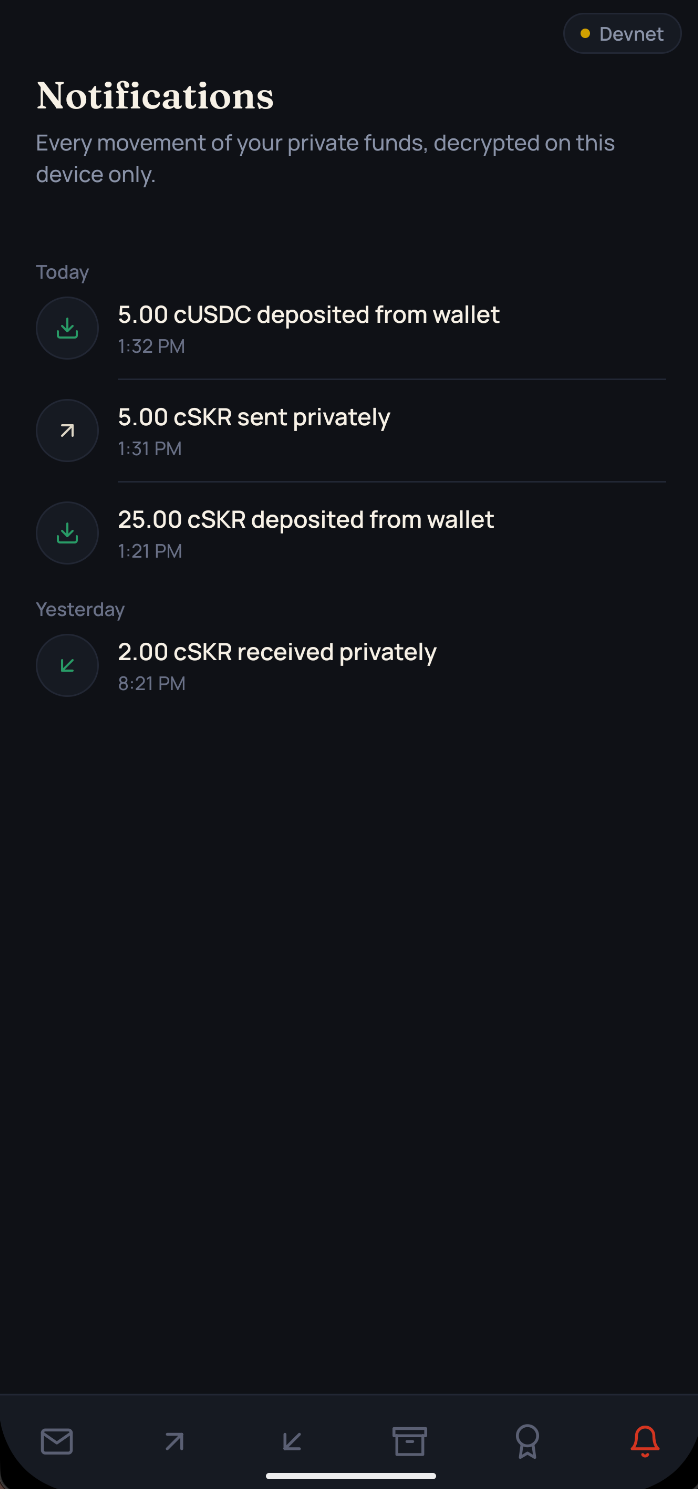
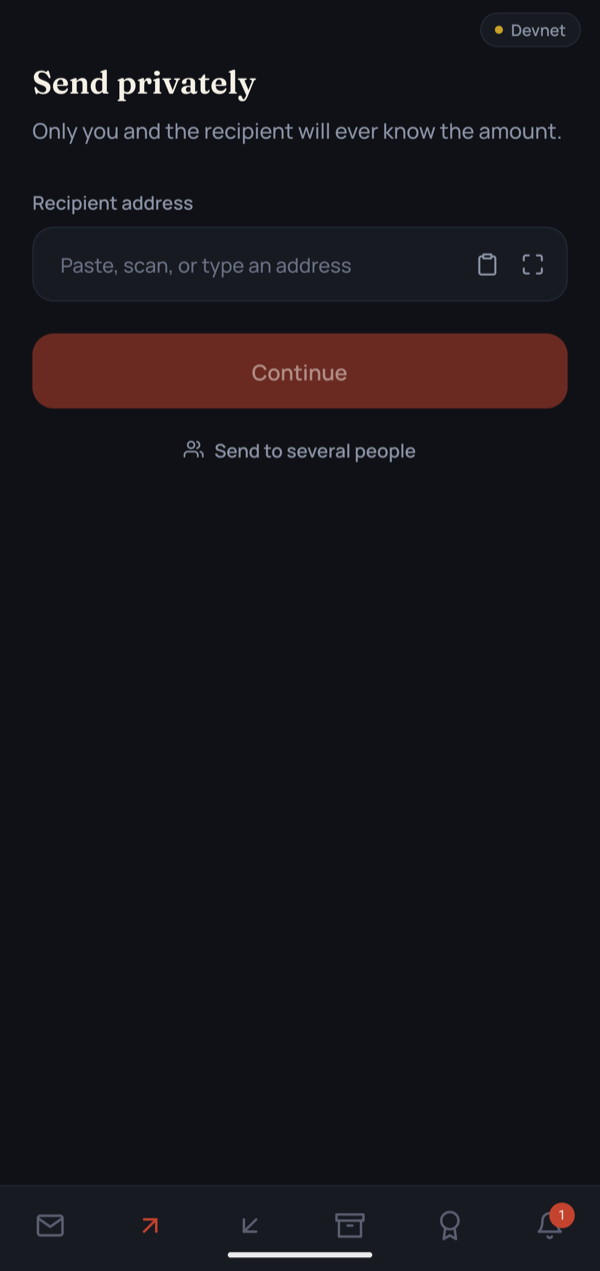
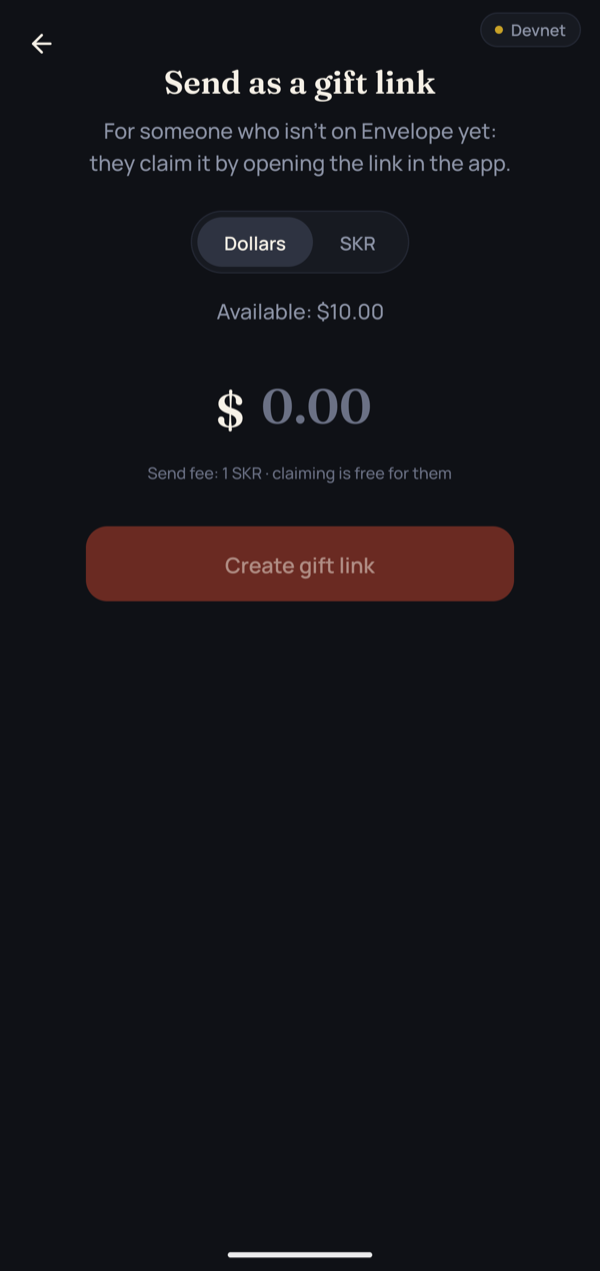
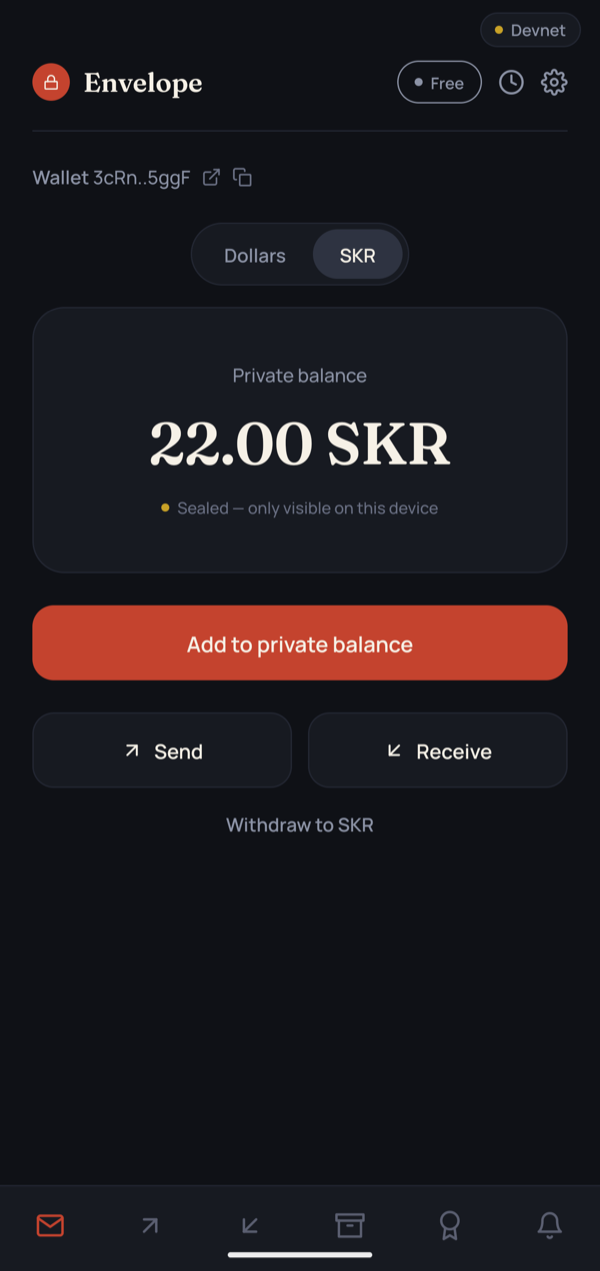
What you can do
Everything a wallet does, without the audience.
Private dollars and SKR
USDC and SKR go in one to one and live on Solana as encrypted balances that only your phone can read.
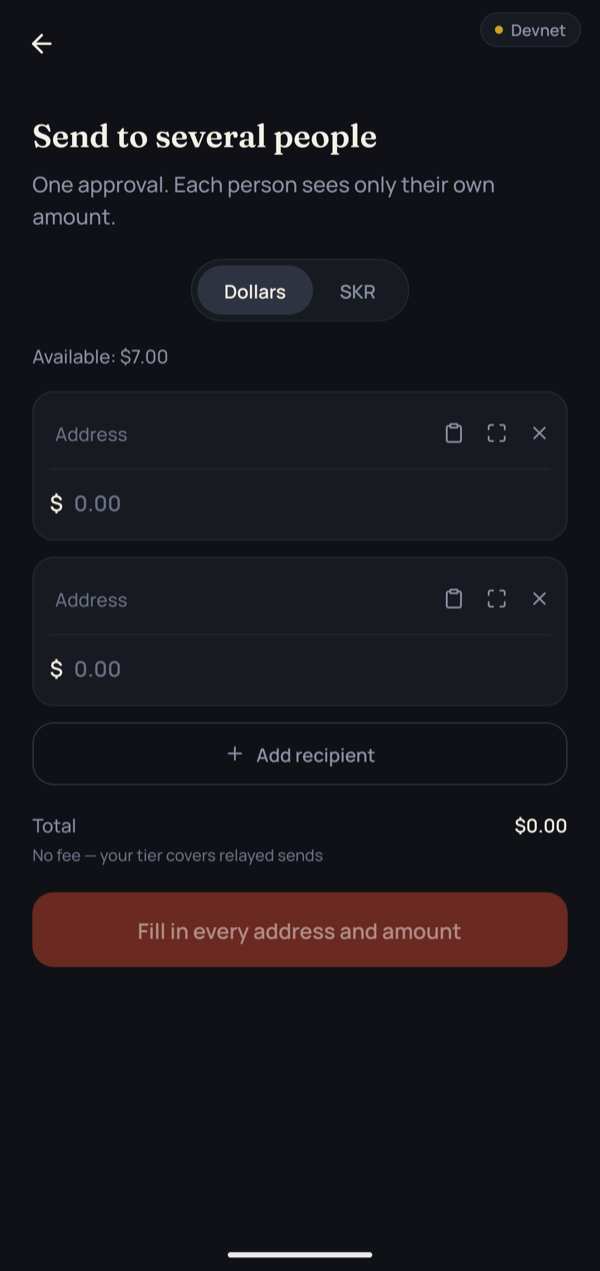
Pay one person or a few at once
Send to an address or a QR code. Members pay 2 people at once and Business 4, and each person sees only their own amount.
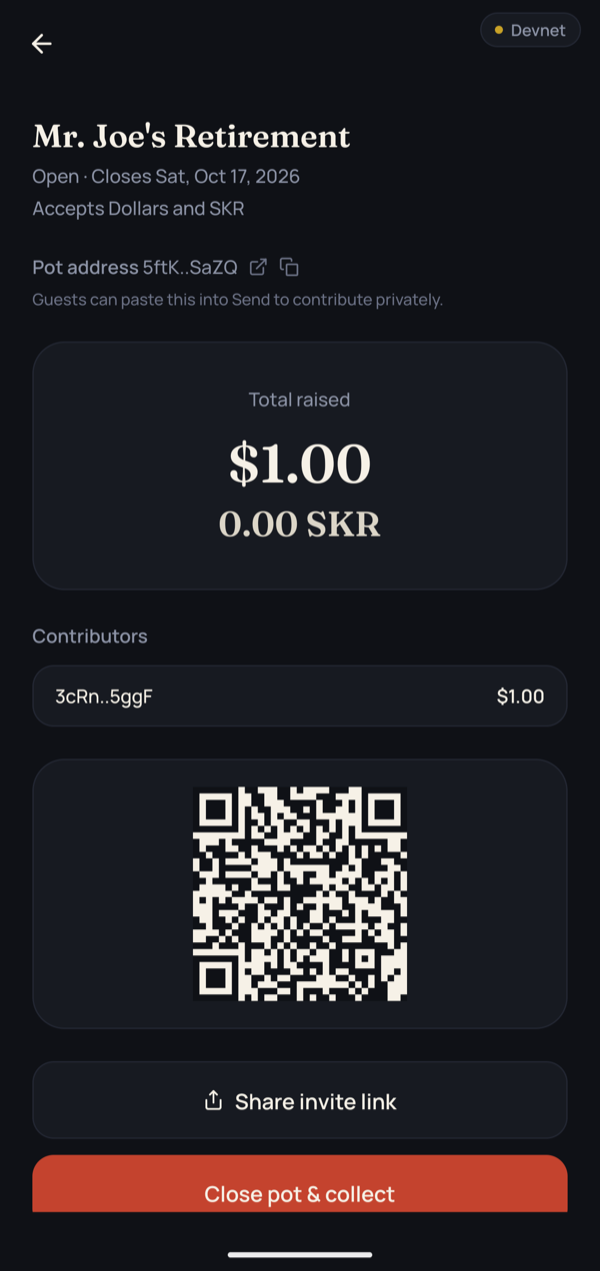
Pots for group gifts
A wedding, a farewell, a birthday. Guests chip in privately, the host sees the total, and nobody sees what anyone else gave.
Gift links
Send money to someone who isn't on Envelope yet, with a short private message if you like. They open the link, install the app, and claim it into their own private balance.
Statements: prove what you choose
Share your balance, a few transfers, or both, and anyone can check them against Solana. They see nothing else, and no key leaves your phone.
Links open in Envelope
Tap a gift or tip link in any chat and it opens the app directly, on the right screen.
No SOL, ever
SKR pays the network fees, and a new wallet's first refill is free. You can start with nothing in your wallet.
Opened by your fingerprint
Your keys are made on your phone from one wallet signature and kept behind your fingerprint. Every send asks for it.
Runs on older phones
Works on Android WebViews back to Chrome 85, including Huawei and other phones without Google services.
Withdraw any time
Turn private dollars or SKR back into regular USDC or SKR in your wallet with one approval.
Gift links
Send money to someone who isn't here yet.
A gift link carries private dollars or SKR to anyone. The amount stays hidden on-chain, and claiming costs them nothing. Creating one costs 5 SKR on Free, 2.5 SKR for Members, and nothing for Business.
- Choose an amount, add a short private message if you like, and confirm with your fingerprint. You get a link and a QR code.
- Send it however you like. Whoever opens it installs Envelope and taps Claim.
- They see your message, and the gift lands in their private balance. Until then, you can take it back.
Everything else stays private
New
Prove what you choose. Keep the rest sealed.
Show an accountant, a landlord or a lender exactly what you want them to see, and nothing more. Envelope seals each statement for 10 SKR on Free, 5 SKR for Members, and nothing for Business.
- Pick your balance, up to 10 transfers, or both. Your phone proves each figure and gives you a link.
- Send the link. Anyone who opens it checks every figure against Solana on a web page, with no app needed. The page also shows whether Envelope sealed it.
- Nothing else is revealed and no key leaves your phone, so there is nothing to revoke afterwards.
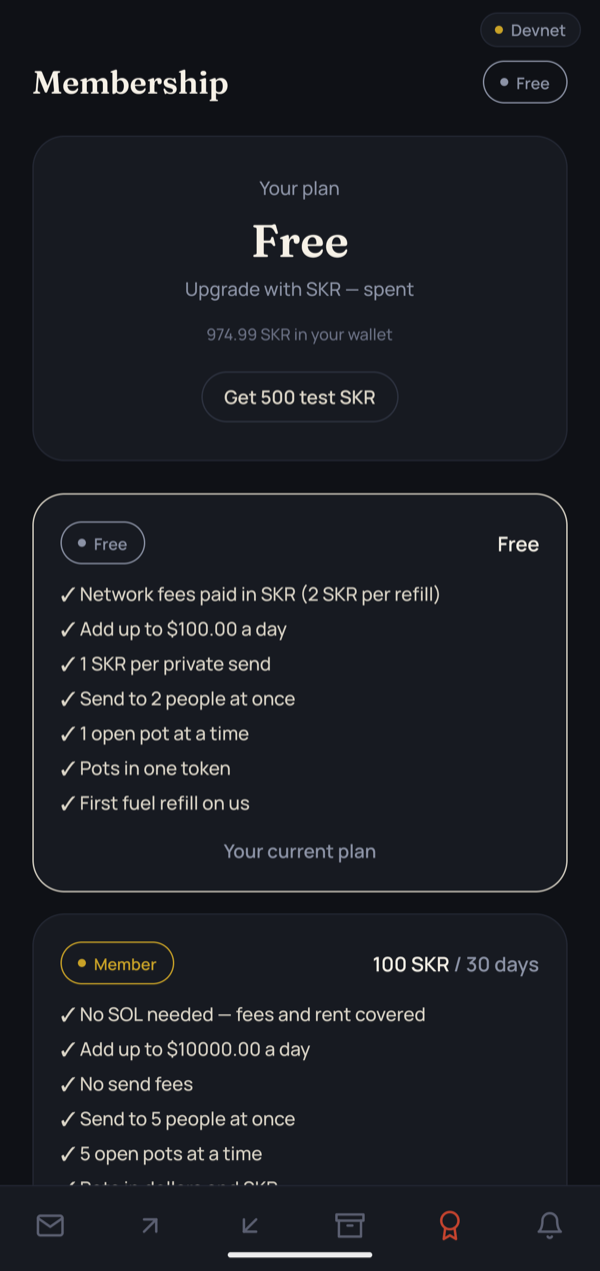
Membership in SKR
Start free. Upgrade with SKR.
A pass is SKR you spend for 30 days of bigger limits. On devnet, plans are paid in test SKR from the faucet in the app.
Free
No cost- Add up to $100 a day
- 1 SKR per private send
- One person per send
- 1 open pot
- Gift link 5 SKR, statement 10 SKR
- Network fees at cost, in SKR or USDC
Member
100 SKR / 30 days- Add up to $10,000 a day
- No send fees
- Send to 2 people at once
- 5 open pots, in dollars and SKR
- Half price: gift link 2.5 SKR, statement 5 SKR
- Network fees at cost, in SKR or USDC
Business
500 SKR / 30 days- No daily limit
- No send fees
- Send to 4 people at once
- Unlimited pots
- Gift links and statements free
- Network fees at cost, in SKR or USDC
Try it on devnet in three steps.
Install Envelope
Download the APK on your Android phone and open it.
Get test dollars and SKR
Install Solflare and switch it to Devnet. Test USDC comes from faucet.circle.com, and test SKR from the faucet on Envelope’s Membership tab.
Seal your first balance
Connect, enable your private balance, and add dollars, SKR or both. No SOL needed.
Questions people ask
Can the person I pay see my balance?
They see your wallet address, so they can look up what any wallet shows: your regular USDC, SKR and SOL, and what you moved into or out of Envelope. Your private balance and the amount of each private payment stay sealed. Keeping a balance in Envelope, instead of topping up right before each payment, keeps your activity from being pieced together.
Is Envelope anonymous?
No. It hides amounts, not people. Who paid whom is visible on Solana, as with any wallet. What nobody else can see is how much moved and how much you hold privately.
What do gift links and statements cost?
A gift link costs 5 SKR to create and a statement seal 10 SKR, on the Free plan. Members pay half and Business pays nothing. You can pay in SKR, or in USDC at the same value. Claiming a gift is always free for the person who receives it, and anyone can check a statement without paying.
Do I need SOL?
No. A new wallet’s first refill is free, so you can start with an empty wallet. After that, network fees are paid at cost in SKR or USDC, on every plan.
What is SKR used for?
Three things: a membership pass for bigger limits and no send fees, the fuel that pays network fees, and a private SKR balance you can hold and send like dollars.
Where are my keys, and what if I lose my phone?
Your encryption keys are made on your phone from one wallet signature and kept behind your fingerprint. They never leave the device. On a new phone, connect the same wallet and Envelope makes the same keys again, and finds your open pots on-chain.
What happens if a gift link gets shared further?
Anyone with the link can claim the gift, and read the message that comes with it, so send it only to the person it’s for. Until someone claims it, you can take it back from the gift screen. Once claimed, the link stops working.
What does a statement show, and who can open it?
Only the figures you picked: your balance, and up to 10 transfers. Each one is proven against Solana, so the person checking doesn’t have to trust you. Anyone with the link can open it, so share it only with the person it’s for. If your balance changes afterwards, the page marks it out of date.
Which phones and wallets work?
Android 7 or newer, with any wallet that supports Mobile Wallet Adapter, such as Solflare. It also runs on phones without Google services, like many Huawei models.
Is it on mainnet? Has it been audited?
Envelope runs on Solana devnet today, with test USDC and test SKR. It hasn’t had an external audit yet; that comes before mainnet. The threat model and how we verify it are public.